
Meitu
Meitu (China) LimitedPhotography
4.57.57K Reviews
- Version
- 12.15.6
- Installs
- 100.00M
- Age Rating
- Teen
Screenshots


Our Review of Meitu
 Analysis by Appyee
I tend to reach for a photo editor when I want one picture to feel more polished, not when I want to spend half an hour learning a complicated workflow. Meitu - AI Photo & Video Editor is aimed at that quick, expressive kind of editing: it brings portrait retouching, visual effects, and video tools into a single photography app. Its approach favors visible, playful changes over the restrained adjustments I’d make in a dedicated desktop editor, which is useful when I want a result that feels ready to share without much setup.
The app comes from Meitu (China) Limited, a developer with a long-running presence in mobile photo editing. It is free to install, has an average rating of 4.6 from around 1.4 million ratings, and has passed 100 million installs. The Teen age rating is worth keeping in mind if a younger person will use it, especially because this is an app built around appearance and social sharing. Optional in-app purchases range from $0.49 to $229.99 per item, so I would treat the free version as a place to explore before paying for anything.
What the current version is built for
Version 12.2.9 is the current release, and the app’s overall identity remains clear: it is a mobile-first editor for people who want to retouch portraits, try aesthetic treatments, and make short visual content without switching between several tools. It first appeared on March 9, 2011, and runs on operating systems from version 8.0 onward. That history gives it a more established feel than a new filter app, although a long presence alone does not tell me whether every feature will suit my taste.
In use, I see Meitu as a fast creative workspace rather than a precision laboratory. It can be a good fit when the goal is to make a selfie more flattering, give a casual photo a stronger mood, or add a consistent visual finish before sharing. If I need careful color matching across a large set of images, detailed masking, or a highly controlled professional retouch, I would still choose a more specialized editor. Meitu’s appeal is how quickly it lets me move from an ordinary camera roll image to something with a distinct look.
How its editing style affects everyday work
The biggest practical difference between an all-in-one editor like this and a basic phone gallery editor is the emphasis on expressive tools. A built-in gallery editor is usually the simpler choice for cropping, straightening, and correcting exposure without changing the character of a picture. Meitu is more tempting when I want portrait-focused adjustments or a stylized treatment, but that extra creative range also makes it easier to over-edit. I recommend comparing the result with the original before saving, especially on skin and facial features.
A useful way to keep edits believable is to work in small passes. I would first fix the crop and overall light, then try a filter at a restrained strength, and only then touch face-specific controls if the picture needs them. That order helps prevent a preset from hiding a problem that a basic adjustment could solve more naturally. It also gives me a clearer sense of which change actually improved the image instead of stacking effects until the result no longer resembles the moment I photographed.
A realistic use case: a quick portrait before sharing
Imagine taking a casual photo before meeting friends and noticing that the lighting is uneven. I would start by choosing a crop that keeps the attention on the people, then make a modest brightness adjustment and preview a few looks. If I use skin smoothing or eye adjustments, I would keep them subtle and check the image at its normal viewing size. A face can look convincing when enlarged in an editing screen but oddly polished once the photo appears in a social feed; that final-size check is a small habit that makes a real difference.
For a group picture, I would be more cautious with automatic portrait changes. A treatment that looks pleasing on one face may affect everyone in the frame or make differences in lighting more obvious. If the goal is to preserve a natural memory, I would favor a gentle global correction and skip strong beauty effects. If the goal is a deliberately stylized post, the more dramatic tools make better sense. The best choice depends less on which effect is available and more on what I want the photo to communicate.
Where Meitu sits among familiar alternatives
Compared with a simple gallery editor, Meitu gives me a broader set of portrait and aesthetic possibilities in one place. Compared with a layer-based editor, it is less about building a complex image from carefully separated parts and more about applying accessible treatments directly. That makes it easier to pick up for a quick edit, but it is not automatically the better choice for every job. A gallery editor can be faster for a plain crop, while a specialist tool may be preferable when I need granular control or a carefully repeatable look across many photos.
The same distinction applies to video. Meitu can be convenient when I want to give a short clip a coordinated visual treatment without turning the task into a full production project. For a longer edit that depends on precise timing, detailed audio work, or a complex sequence, I would use a dedicated video editor instead. I see the video tools as a useful companion to the photo side, not a reason to assume that one mobile app replaces every editing tool I might need.
First Impressions: Sleek and User-Friendly
Right off the bat, the interface of Meitu is clean and super intuitive. You don’t need to be tech-savvy to navigate through its myriad of features. The home screen is neat, with all the tools laid out in a way that makes sense. There's no overwhelming feeling of "where do I even start?" which, trust me, is a relief.
AI Magic: The Secret Sauce
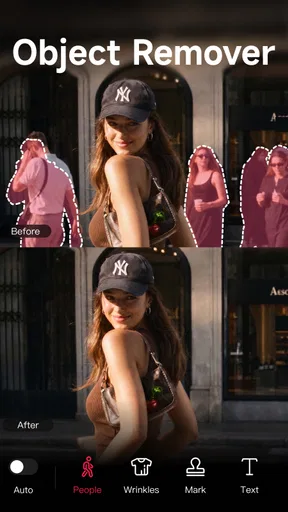
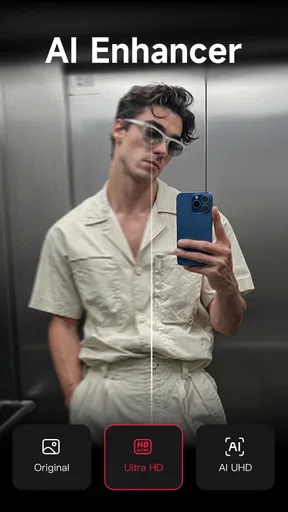
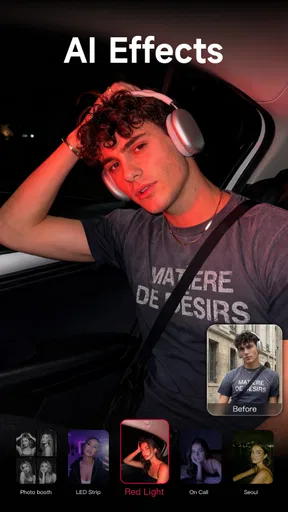
Now, let's get into the nitty-gritty of what makes this app a game-changer: its AI-powered features. The AI technology in Meitu is like having a personal assistant dedicated to perfecting your photos. Whether it's enhancing the lighting, smoothing skin, or even changing the background, the AI does it all seamlessly.
The Magic Brush is a standout feature. It allows you to add artistic effects with just a few taps. Want to turn your selfie into a Renaissance painting? Or maybe add a splash of color to a black-and-white photo? The Magic Brush has got you covered.
Video Editing: Not Just for Photos
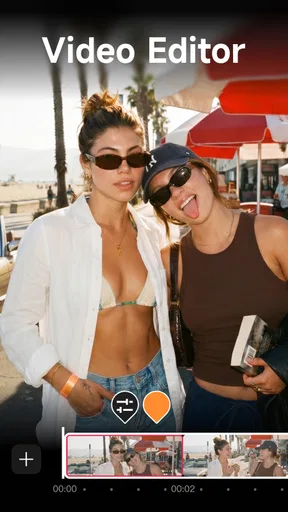
While Meitu is primarily known for its photo editing prowess, the video editing capabilities are nothing to sneeze at. The app offers a variety of filters and effects that you can apply to your videos to give them that cinematic touch. It's perfect for those short clips you want to share on social media. The transitions are smooth, and the addition of music is a breeze.
Customization: Make It Yours
One of the things I love about Meitu is the level of customization it offers. You can tweak every little detail to suit your style. From adjusting the brightness and contrast to playing around with saturation and highlights, the control is in your hands. And if you’re feeling lazy or unsure, the app offers pre-set filters that are on point for any occasion.
For a more consistent set of posts, I would choose a filter first and then adjust brightness, contrast, saturation, and highlights around it rather than applying different presets at random. That gives a small batch of photos a related feel without forcing every image into identical lighting. I would still check each shot individually: a filter that flatters a bright outdoor portrait may muddy a dim indoor image. Presets are a starting point, not a promise that one setting works everywhere.
Beauty Features: A Selfie’s Best Friend
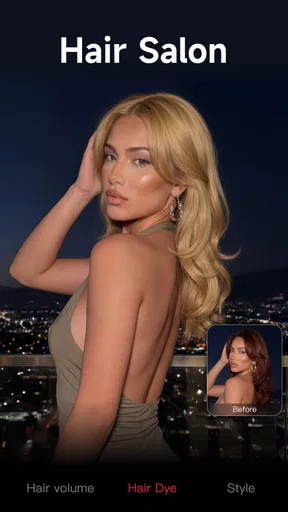
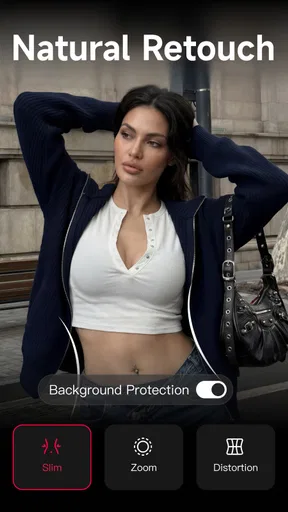
For those who live for the perfect selfie, Meitu's beauty features are a dream come true. The app offers everything from skin smoothing to eye enlarging, and even teeth whitening. But don't worry, it's not about making you look like a completely different person. The adjustments are subtle enough to enhance your natural beauty without going overboard.
That last point depends on how the controls are used. I would avoid changing several facial features at once, because the combined effect can become more noticeable than any single adjustment. A useful check is to toggle the edit against the unedited image and ask whether the photo still looks like the person in the room. For a profile picture or a family snapshot, I prefer a light touch; for a playful, intentionally transformed image, stronger changes may be exactly the point.
Community and Sharing: Join the Fun
Meitu isn't just about editing; it's also about sharing. The app has a community feature where you can post your creations and check out what others are doing. It’s a great way to get inspired and pick up a few tips and tricks. Plus, sharing your edited masterpieces on social media platforms is just a tap away.
That social side will appeal most to people who enjoy browsing other edits and treating photography as a creative hobby, rather than only correcting images for private use. If I prefer to keep photos in a quiet, personal workflow, I can focus on editing and ignore the community aspect. Either way, I would think about the audience before posting a portrait, particularly when it includes other people. Sharing tools make publishing easy, but the choice of what to share should remain deliberate.
Who will get the most from it
I would recommend Meitu to someone who regularly edits selfies, enjoys trying distinct visual styles, or wants photo and short-video treatments in one mobile app. It is especially handy when I have a few minutes between errands and want to improve a picture before sending it to friends. The combination of direct controls and ready-made looks lets a beginner experiment without needing to understand a complicated editing vocabulary first.
It is less suitable for someone who wants every portrait to remain untouched, who needs exact retouching for paid work, or who dislikes apps that encourage appearance adjustments. It may also feel like more than necessary if all I need is to rotate a picture or trim its edges; the phone’s built-in editor is often enough for that. I would not install it expecting a complete replacement for a dedicated desktop photo and video workflow.
What I would check before settling into a routine
Because the app offers optional purchases, I would try the tools I actually plan to use before considering a paid item. The range runs from $0.49 to $229.99 per item, which is broad enough that I would inspect each purchase carefully rather than assuming every appealing effect is included at no cost. If I only need occasional edits, the free starting point may be all I need; frequent users should decide based on the specific tools they rely on, not on a general impression that more options must mean better results.
I would also keep an untouched copy of an important original before experimenting. That simple habit gives me room to try a dramatic background change or a strong filter without worrying that I have lost the more natural version. When I am comparing edits, I find it helpful to save only the version I genuinely prefer instead of keeping several near-identical variations that make the camera roll harder to sort.
What has changed, and what remains uncertain
The clearest points of product history are its 2011 debut and its current version, 12.2.9. Those facts show that Meitu is an established app that continues to have a current release, but they do not by themselves prove which tools have changed between versions or how a particular control behaves on every device. I would treat the present version as the one to assess, rather than assuming that a feature I remember from an older install still looks or works the same way.
For existing users, the practical question is whether the current editing flow still matches the way they work: open a picture, make a targeted change, compare it with the original, and decide whether the result is worth keeping. If a familiar tool has moved or looks different, I would spend a moment checking the current interface before editing a batch of photos. That is a sensible precaution with any app that receives updates, not a reason to expect a specific redesign or feature change.
What to watch as you use it
The main trade-off I would watch is the balance between speed and control. Meitu makes it inviting to try a strong filter or beauty effect immediately, but quick editing can push an image toward a generic finish if I stop checking the details. I get better results when I decide first whether I want a natural correction or an obviously creative treatment, then use only the tools that serve that choice. On video, I would likewise keep the task modest and move to a specialist editor if the project starts demanding precise timing or more involved sound work.
So, if you're looking for an app that combines ease of use with powerful editing tools, Meitu - AI Photo & Video Editor is definitely worth checking out. It’s like having a professional editing suite at your fingertips, ready to transform your photos and videos into spectacular works of art. Give it a try and let your creativity run wild!
My recommendation is more specific: try it if portrait retouching and playful effects are the kind of edits you actually enjoy making, and judge the results at normal screen size before sharing. I like having an editor that can move quickly from a small correction to a more imaginative look, but I would keep a basic gallery tool or a specialist editor for jobs where simplicity or precision matters more. Used with a light hand, Meitu is a flexible creative option; used without checking its stronger treatments, it can make an ordinary photo feel less like a real moment.
Verdict
Strengths of Meitu
- Intuitive interface, easy to navigate.
- Wide variety of editing tools available.
- High-quality AI enhancements.
- Regular updates with new features.
- User-friendly for beginners and pros.
Limitations of Meitu
- Some features require a premium subscription.
- Occasional ads can interrupt workflow.
- Large app size may affect storage.
- AI features need internet connection.
- Limited export options for free users.
Other Releases by Meitu (China) Limited
View All
BeautyCam-AI Photo Editor
Photography3.9

Wink: Video Enhancer & Editor
Video Players & Editors4.5
Similar Picks in This Category
View All
Google Photos
Google LLC4.4

Gallery
Google LLC4.2

Picsart AI Photo Editor, Video
PicsArt, Inc.3.9

B612 AI Photo&Video Editor
SNOW Corporation4.1

BeautyPlus-Selfie Photo Editor
PIXOCIAL TECHNOLOGY (SINGAPORE) PTE. LTD.4.5

Remini - AI Photo Enhancer
Bending Spoons4.1
Frequently Asked Questions
What features does Meitu offer for photo and video editing?
Meitu provides a wide range of features including AI-driven photo enhancements, professional-grade filters, and a variety of beautification tools. Users can retouch portraits, add artistic effects, and even create animated selfies. For videos, Meitu offers trimming, filters, and music overlay options to enhance creativity.
Is Meitu easy to use for beginners?
Yes, Meitu is designed with an intuitive interface that is easy to navigate, making it suitable for both beginners and experienced users. The app provides helpful tutorials and tips to guide users through its features, ensuring that even those new to photo editing can achieve professional-looking results.
Does Meitu offer in-app purchases or subscriptions?
While Meitu is free to download and offers a variety of features at no cost, it also provides in-app purchases and subscription options. These include access to premium filters, advanced editing tools, and an ad-free experience, allowing users to enhance their editing capabilities further.
Is Meitu safe to use in terms of privacy and data security?
Meitu is committed to user privacy and data security. The app complies with international data protection regulations and employs encryption to safeguard user data. Users can review the app's privacy policy to understand how their data is collected, used, and protected, ensuring a secure experience.
Can Meitu be used for professional photo editing?
While Meitu is primarily designed for casual users, it offers advanced features that can be utilized for professional editing. The app's AI enhancements, comprehensive filters, and high-quality output options make it a viable tool for professionals seeking quick edits or on-the-go adjustments.
